Before Handing a Smartphone to an AI Agent: Who Is Assumed to Press "Authorize" in Android ADB?
An architectural security analysis of Android ADB, Shizuku privilege brokering, and MCP specifications examines why smartphone automation requires explicit human-in-the-loop authorization gates.
Published: October 31, 2026 | Read time: ~10 min | Watch Video (Japanese)
Executive Summary: Autonomous Mobile Automation and the Authorization Assumption
Across enterprise technology, autonomous multi-modal agents are expanding from web browsers into mobile operating systems. Social media demonstrations showcase users connecting physical smartphones to agent frameworks, claiming automated software can “substitute for virtually all human operations.”
On October 31, 2026, a viral post on X illustrated this trend, with an engineer describing connecting a spare Android device to an agent termed “Muse” via an Android Debug Bridge (ADB) Model Context Protocol (MCP) server.
However, an empirical technical audit of Android platform documentation, the Android Open Source Project (AOSP) security architecture, and official MCP specifications reveals a critical architectural gap:
- Android’s Core Authorization Model: The Android operating system is designed under the foundational assumption that the entity authorizing ADB access is a physically present human being capable of unlocking the screen lock and evaluating a visual modal dialog.
- The Delegation Problem: Handing an ADB-enabled smartphone to an autonomous AI agent relocates the authorization boundary. Once paired—particularly over persistent wireless debugging networks—ADB grants background shells unchecked execution power without requiring per-action confirmation.
- The Protocol Standard: While the Model Context Protocol (MCP) establishes rules for tool execution, its requirement for human rejection remains a non-mandatory recommendation (SHOULD), not a mandatory requirement (MUST).
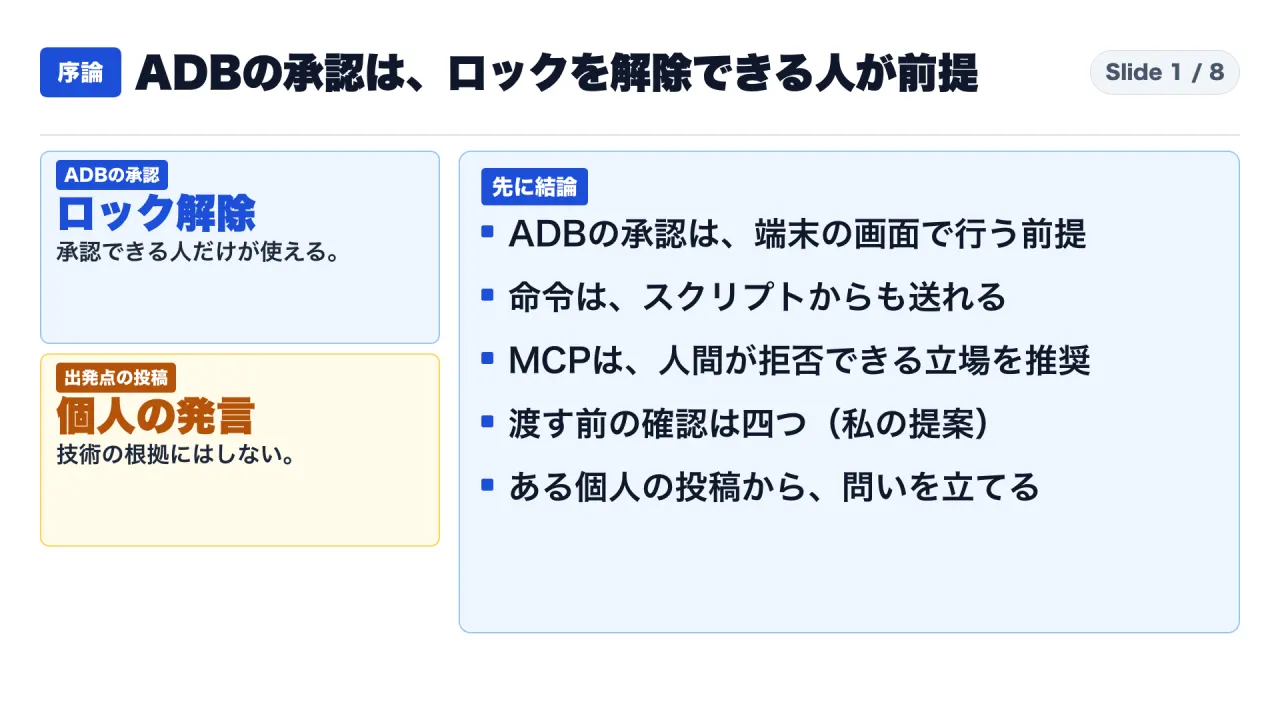
This review audits ADB pairing mechanics, examines Shizuku privilege brokering, evaluates MCP tool governance, and delivers a four-point enterprise decision framework for autonomous mobile automation.
Epistemological Framework: Documented Engineering vs. Anecdotal Claims
To establish analytical integrity, this review segregates evidence into four distinct categories:
- [Fact]: Verifiable system mechanics, protocol specifications, and security requirements extracted directly from Android Developers documentation, AOSP security guides, and MCP specifications.
- [Post Content]: Anecdotal statements and operational descriptions originating from individual social media posts, treated strictly as discussion prompts rather than validated technical benchmarks.
- [Analytical Interpretation]: Deductive assessments regarding operating system security boundaries, threat surfaces, and privilege escalation vectors.
- [Author Proposal]: Actionable governance criteria proposed for enterprise IT and security teams.
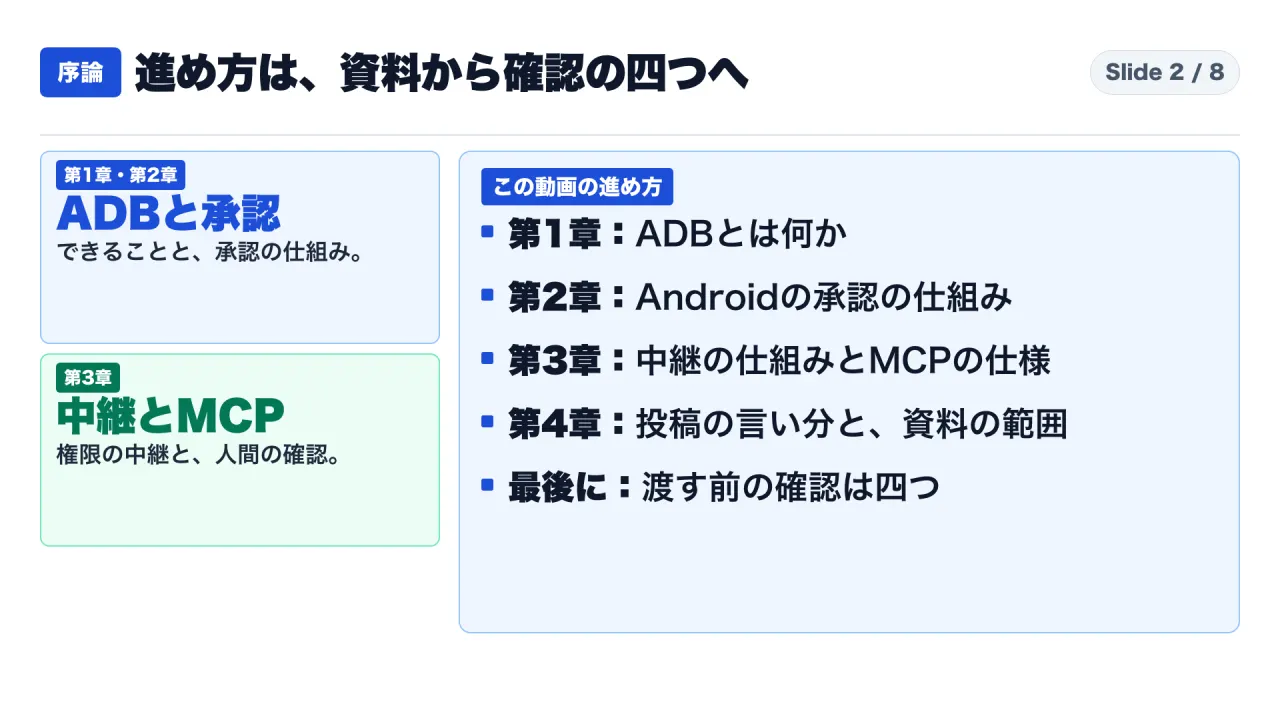
Key Architectural Terminology
| Component / Standard | Architectural Role | Security Function |
|---|---|---|
| Android Debug Bridge (ADB) | A versatile command-line bridge enabling client communication with an Android device daemon. | Provides Unix shell execution, package installation, and direct filesystem inspection. |
| ADB Architecture | Client (CLI tool), Daemon adbd (device background process), Server (background socket manager). |
Server multiplexes commands across multiple clients and scripts without distinguishing human from software initiators. |
| RSA Authentication | Cryptographic handshake introduced in Android 4.2.2. | Device prompts user to accept host computer public RSA key before enabling debug access. |
| Wireless Debugging | Network-based ADB introduced in Android 11. | Pairs host and device via QR code or numeric pairing code over shared Wi-Fi networks. |
| Shizuku | Open-source system service middleware. | Mediates system API calls from standard applications via existing ADB or root permissions. |
| Model Context Protocol (MCP) | Open specification for LLM tool invocation. | Defines interaction patterns between AI models and local or remote tool servers. |
| RFC 2119 Keywords | MUST (mandatory requirement) vs. SHOULD (recommended best practice). |
Crucial distinction governing whether human intervention is enforced by protocol or left optional. |
1. Deconstructing Android Debug Bridge (ADB) Architecture
What ADB Formally Executes
According to official Android Developers documentation (updated September 25, 2026 UTC), ADB is a client-server architecture consisting of three components:
- The Client: Executes on the developer workstation. When a command is issued (
adb shell,adb install), the client transmits the payload to the server. - The Server: Runs as a background process on the host workstation. It manages communication between clients and the
adbddaemon running on connected devices. - The Daemon (
adbd): Executes as a background process within the Android operating system on the physical device or emulator.
Official documentation itemizes core operational primitives enabled by ADB:
- Package Management: Installing and replacing applications via
adb install. - Filesystem Access: Arbitrary bidirectional file transfers between host and device via
adb pushandadb pull. - Screen Telemetry: Capturing visual displays via the
screencapcommand. - Raw Shell Execution: Invoking Unix shell commands directly within the device environment via
adb shell.
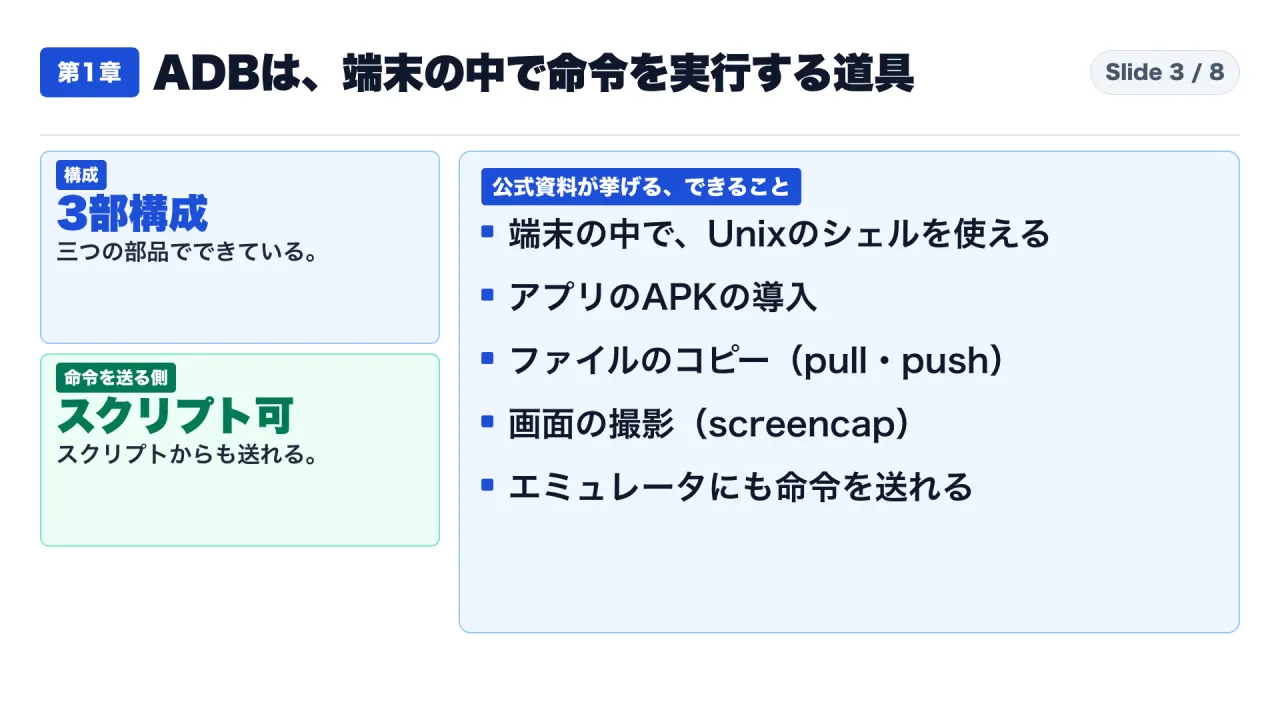
The Programmatic Origin: Scripts as First-Class Controllers
A critical architectural sentence appears within official Android documentation:
“[Fact] Because the server manages connections and handles commands from multiple clients, you can control any device from any client or from a script.”
This design detail is fundamental: ADB does not distinguish between a human engineer typing commands in a terminal and an autonomous script or LLM agent emitting instructions over a TCP socket.
An AI agent operating a mobile device is not a platform bypass; it is an inherent property of ADB’s architecture. However, while programmatic control is native, the security gateway governing initial access rests on physical human presence.
2. The Physical Human Assumption in Android Authorization
The Developer Options and RSA Pairing Gate
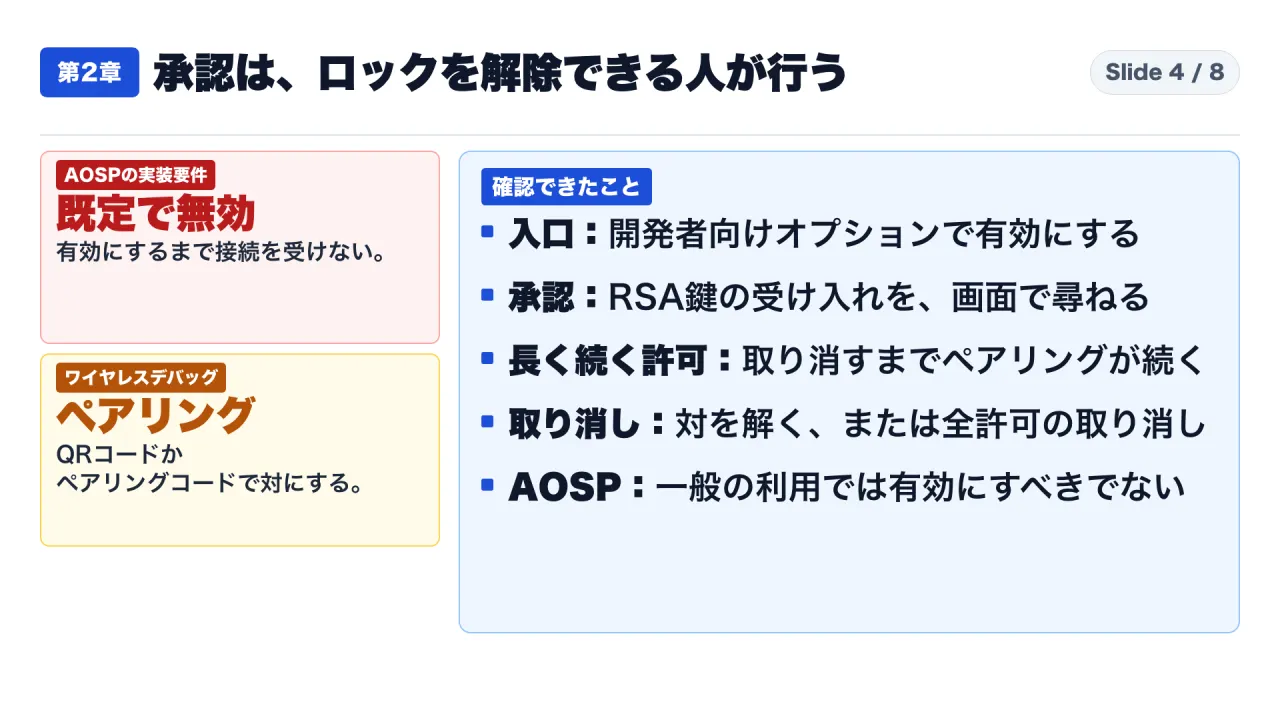
Under Android 4.2 and subsequent versions, the Developer Options menu is hidden by default, requiring seven consecutive manual taps on the “Build Number” setting. To establish an ADB connection, the user must explicitly enable USB Debugging.
In Android 4.2.2+, the platform introduced cryptographic host authorization:
- When a host computer connects via USB, Android displays a system modal dialog showing the host’s RSA key fingerprint, asking: “Allow USB debugging?”
- Android Developers documentation defines the rationale:
“[Fact] This security mechanism protects user devices because it ensures that USB debugging and other adb commands cannot be run unless you are able to unlock the device and acknowledge the dialog.”
The Architectural Deduction: The entire security model of Android debugging rests on the assumption that authorization is granted by a human who possesses physical custody of the hardware, knows the lock screen PIN/passcode/biometrics, and can visually read and approve the modal prompt.
The Persistence Hazard of Wireless Debugging
When developers operate over Wi-Fi via Wireless Debugging (available in Android 11+), authorization dynamics expand:
- One-Time Pairing: Pairing occurs via a six-digit pairing code or QR code while both devices occupy the same subnet.
- Persistent Connectivity: Once paired, the workstation remains authorized until the user manually selects “Forget” or executes a global revocation.
- Automatic Connection: Checking “Always allow on this network” marks the Wi-Fi network as trusted, enabling automatic reconnection whenever the device joins the network.
The Governance Hazard: Authorizing ADB grants an open-ended communication pipe. While human authorization occurred at time zero, subsequent individual commands—launching apps, querying SQLite databases, simulating touch inputs, or exfiltrating photos—execute silently without per-action user prompts.
AOSP Security Best Practices
The Android Open Source Project (AOSP) documentation on implementing system security (updated September 30, 2026 UTC) establishes clear platform guidelines:
- ADB is explicitly designated for controlled, secure development environments.
- AOSP mandates that ADB must be disabled by default on production retail builds.
- Retail devices must require explicit, interactive user authorization before enabling debug capabilities.
3. Middleware and Agent Protocol Standards: Shizuku and MCP
When autonomous agents automate mobile workflows, they rarely invoke bare terminal commands directly. They utilize middleware brokers (such as Shizuku) and protocol abstractions (such as the Model Context Protocol).
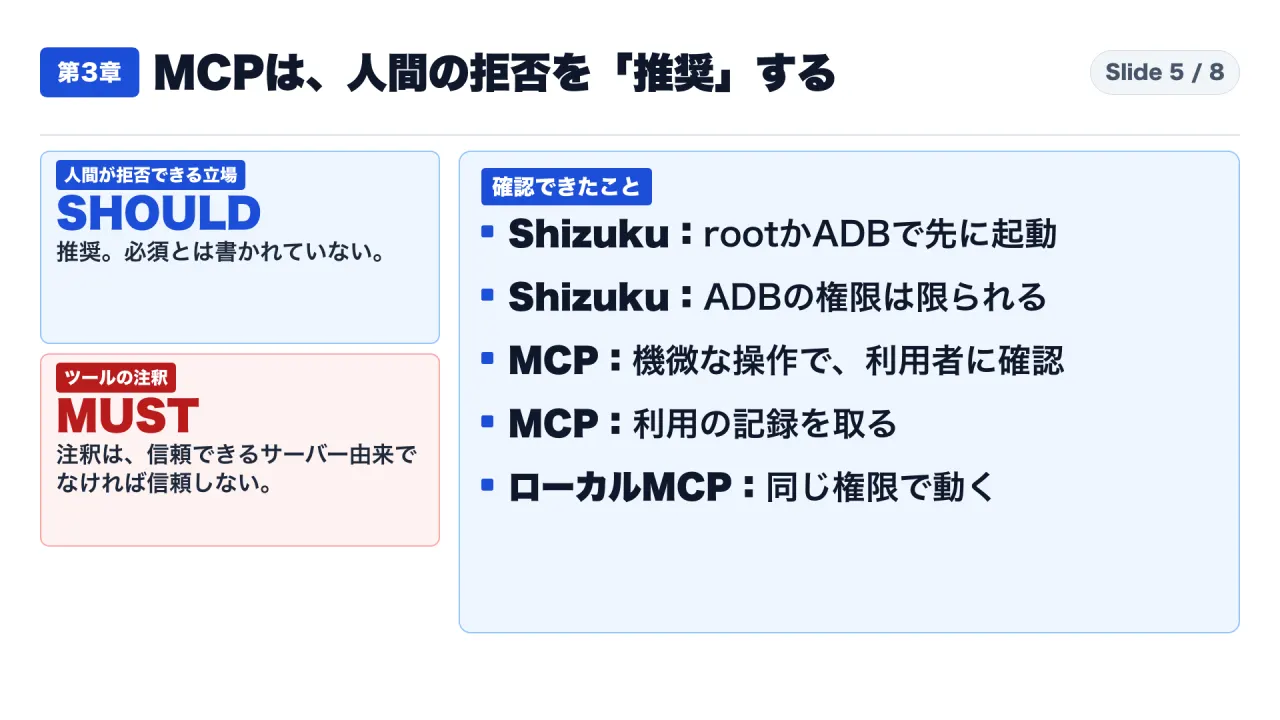
1. Shizuku Privilege Brokering
Shizuku is an open-source framework developed by RikkaApps:
- Architectural Role: Shizuku launches a local service process (
Shizuku server) on the device using ADB or root permissions. - API Delegation: Standard non-root Android applications connect to Shizuku via Binder inter-process communication (IPC), allowing them to invoke elevated system APIs directly through Android’s system server.
- Evidential Limitation: Shizuku README files explicitly state that ADB permissions are bounded by Android platform version constraints. Furthermore, Shizuku requires an initial human bootstrap—the user must start the service via an authorized computer or terminal before apps can inherit its brokered permissions.
2. Model Context Protocol (MCP) Governance: SHOULD vs. MUST
The Model Context Protocol (July 28, 2026 specification) standardizes how LLM agents interact with external tools:
- Model-Controlled Invocation: The Tools specification establishes that tools are designed to be autonomously controlled by the language model, which dynamically discovers and invokes functions based on prompt context.
- Human-in-the-Loop as a Recommendation: Section 3 of the Tools specification discusses user safety:
“[Fact] For trust and safety reasons, there SHOULD always be a way for humans to reject tool calls.”
Under RFC 2119 standards governing technical specifications:
SHOULDdenotes a recommended best practice, not an enforceable protocol invariant.- An MCP client implementation that automatically approves all tool calls without human confirmation remains fully compliant with the formal specification.
- Mandatory requirements (
MUST) in the MCP specification are restricted to defensive measures: clients must treat tool annotations as untrusted unless originating from verified servers; servers must sanitize inputs, enforce rate limits, and validate access boundaries; clients featuring one-click local server configuration must display full execution commands and require explicit consent.
| MCP Specification Domain | Protocol Requirement Level | Practical Security Impact |
|---|---|---|
| Human Rejection of Tool Calls | SHOULD (Recommendation) | Optional; automated clients can execute mobile actions without human approval. |
| Visual Tool Display in UI | SHOULD (Recommendation) | Interfaces may conceal backend tool execution from the end user. |
| Confirmation for Sensitive Actions | SHOULD (Recommendation) | Defining what constitutes “sensitive” is left to application developers. |
| Untrusted Annotation Handling | MUST (Mandatory) | Clients cannot trust unverified tool descriptions claiming read-only status. |
| Input Validation and Rate Limiting | MUST (Mandatory) | Tool servers must defend against malformed payloads and DoS loops. |
| Command Display in One-Click Setup | MUST (Mandatory) | Prevents silent local execution during initial server configuration. |
4. Disentangling Anecdotal Claims from Platform Realities
Social media discussions often present an exaggerated picture of autonomous agent mobile capabilities.
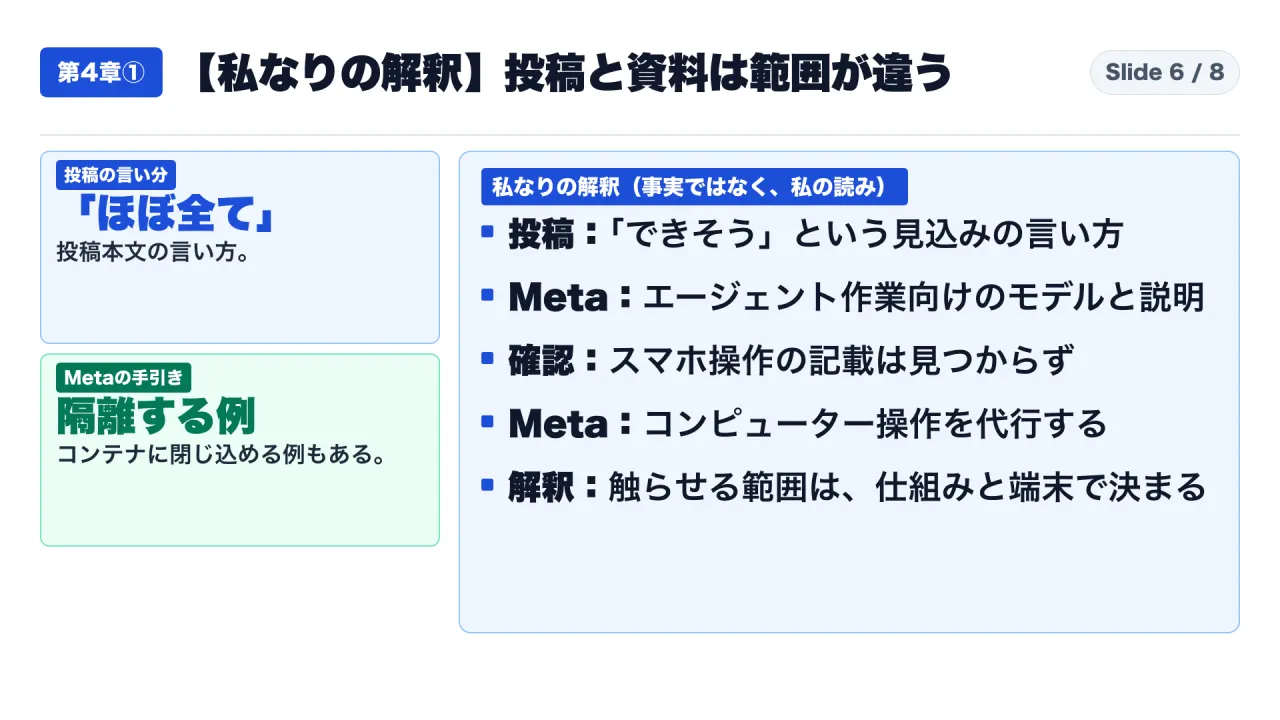
The Viral Post vs. Documented Mechanics
The October 31, 2026 social media post asserted: “Since I handed over my spare smartphone, it seems it can substitute for almost all operations humans do.”
A rigorous technical assessment highlights significant qualifications:
- Unverified Technical Topology: The author noted setting up an MCP server on a connected PC to interface with the phone via ADB. However, specific implementation details—such as whether input simulation utilized accessibility APIs, raw input events, or coordinate clicking—were omitted.
- Ambiguity Surrounding “Muse”: Meta’s AI research division publishes documentation regarding its Muse Spark 1.1 multi-modal reasoning model, including a “Computer use” guide in the Meta Model Cookbook. However, Meta’s official documentation focuses exclusively on desktop macOS control and isolated container sandboxes. It contains zero reference to mobile ADB operation. The social media post’s reference to “Muse” cannot be verified as Meta’s model.
- Execution Containment: Meta’s official Cookbook explicitly highlights the security contrast between granting an agent direct access to a bare-metal computer versus constraining execution inside a disposable, isolated container.
5. Scope Boundaries and Information Limitations
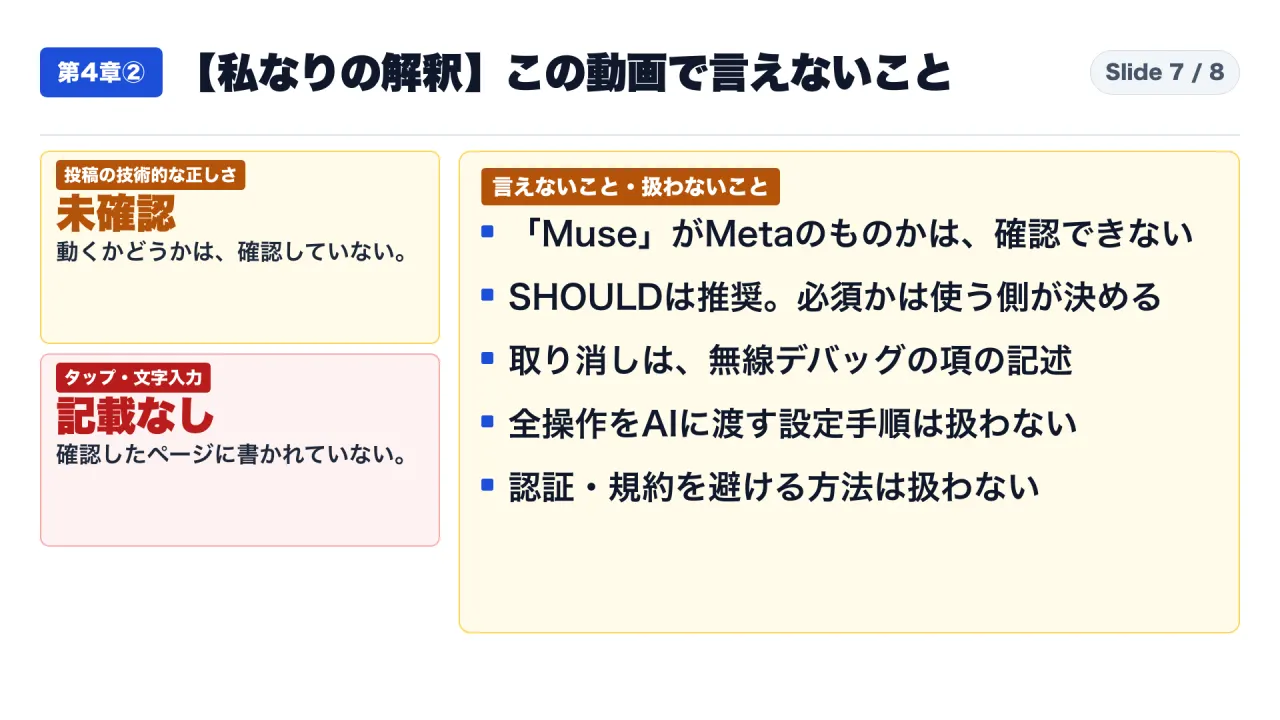
This analysis observes explicit evidentiary limits:
- Anecdotal Sourcing: Social media commentary represents personal developer experience, not verified enterprise engineering.
- No Scripting Tutorials: This review intentionally omits step-by-step instructions for establishing automated ADB tool servers or bypassing device authentication.
- Platform Versions: Specifications reflect verified documentation as of October 31, 2026 (Android Developers updated September 25, 2026; AOSP updated September 30, 2026; MCP dated July 28, 2026).
- No Legal or Regulatory Counseling: Technical analysis of authorization models does not constitute legal counsel regarding software terms of service or corporate compliance mandates.
6. Enterprise Implementation Playbook: Four Pre-Deployment Audits
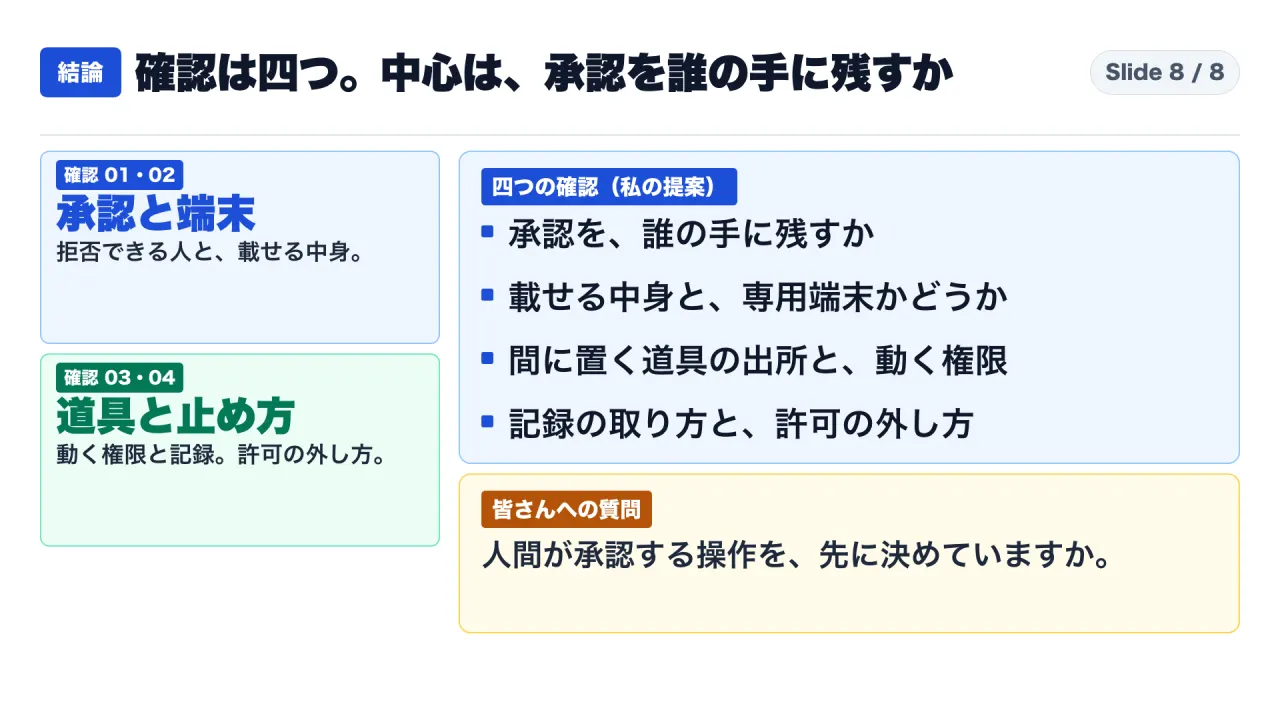
Enterprise IT, security, and risk officers evaluating mobile device automation must deploy a structured four-gate evaluation protocol:
Gate 1: Classify Operation Tiers and Retain Human Authorization
Establish a strict operational hierarchy governing permissible agent actions:
| Action Category | Operational Examples | Required Authorization Level |
|---|---|---|
| Tier 1: Read-Only Telemetry | Reading battery status, capturing screen layout for UI testing. | Fully automated execution permitted. |
| Tier 2: Ephemeral Local State | Launching internal test staging apps, scrolling list views. | Automated execution with local audit logging. |
| Tier 3: External Data Transmission | Sending messages, uploading files, making network requests. | Mandatory human visual approval required. |
| Tier 4: Financial & Identity Actions | Two-factor verification, banking transfers, password modifications. | Strictly prohibited from autonomous agent execution. |
Gate 2: Enforce Hardware Isolation and Data Sanitization
Never attach an autonomous agent to an employee’s primary personal or corporate device:
- Utilize dedicated physical test hardware or sandboxed Android Virtual Devices (AVD).
- Ensure target devices contain zero personal accounts, corporate email profiles, payment instruments, or primary communication applications.
- Treat the device as a disposable testing environment subject to automated factory reset procedures.
Gate 3: Audit Intermediary Tool Permissions
Scrutinize the execution scope of local MCP tool servers:
- Run MCP servers under dedicated, unprivileged operating system service accounts.
- Enforce the MCP specification’s mandatory rule: never trust tool descriptions claiming an integration is “read-only” without auditing underlying shell execution scripts.
Gate 4: Implement Immutable Telemetry and Emergency Revocation
Ensure deterministic control over active sessions:
- Log every ADB shell command, timestamp, coordinate tap, and tool payload to a centralized, tamper-evident corporate audit ledger.
- Establish an immediate hardware-level termination protocol: disconnecting USB links or triggering the system setting “Revoke adb debugging authorizations” to terminate all paired cryptographic keys instantly.
By recognizing that Android’s security model assumes a human at the lock screen, enterprise technology teams can responsibly deploy mobile agent automation without compromising organizational security boundaries.
Primary Sources and References
- Android Developers Documentation: Android Debug Bridge (Updated September 25, 2026 UTC): Android Developers ADB Guide
- Android Open Source Project (AOSP): Implement Security (Updated September 30, 2026 UTC): AOSP Security Best Practices
- Shizuku Open-Source Repository (RikkaApps): GitHub Repository
- Model Context Protocol (MCP) Tools Specification (July 28, 2026 Edition): MCP Server Tools Specification
- Model Context Protocol (MCP) Security Best Practices (July 28, 2026 Edition): MCP Security Documentation
- Meta AI Research: Introducing Muse Spark 1.1: Meta Official Blog
- Meta Model Cookbook: Computer Use Architecture: Meta Developer Documentation
- Social Media Discussion on Mobile ADB Agent Integration (October 31, 2026): X Post by @ryu15