The NIKKE PC Launcher Supply-Chain Breach: Why Legitimate Software Exposes Browser Passwords and How to Handle the First 30 Minutes
Executive Summary & Key Takeaways
- Core Thesis: In early November 2026, reports confirmed that four JavaScript files hosted on official content delivery network (CDN) servers for the PC launcher of “Goddess of Victory: NIKKE” (published by Level Infinite) were tampered with to distribute an infostealing payload. The incident illustrates a fundamental limitation in endpoint security: operating system and browser credential safeguards (including Windows DPAPI and Chrome App-Bound Encryption) are structurally incapable of containing malicious code executing within the authenticated user’s session or running with elevated administrative rights. Independent technical analysis revealed capabilities targeting saved passwords across six major browsers, session cookies, 264 cloud/developer credential file paths, and 28 cryptocurrency wallet extensions. Furthermore, a critical six-day timing discrepancy exists between the publisher’s stated distribution start (October 30, 2026 at 03:52 JST) and independent user telemetry documenting execution as early as October 24, 2026 at 01:40 JST.
- Primary Sources Verified: Secondary documentation of Level Infinite announcements via Japanese cybersecurity analysis publications (piyolog and EAA FPS News); independent reverse-engineering report by security researcher MotherSphere (GitHub Gist, updated November 7, 2026 at 12:51 GMT); technical reporting and DLL string analysis by BleepingComputer; and Google Online Security Blog documentation on App-Bound Encryption (“Improving Security of Chrome Cookies on Windows”, July 30, 2024).
- Actionable Engineering & Governance Takeaways:
- For enterprise endpoints: prohibit consumer gaming and launcher software on corporate hardware; enforce strict least-privilege policies denying users administrative execution rights, which neutralizes App-Bound Encryption bypass paths.
- In suspected endpoint compromises: immediately isolate the machine from the physical and wireless network; do NOT update passwords from the infected host; rotate identity provider (IdP) sessions, SSH keys, and cloud API tokens centrally.
- Recognize that session cookies bypass multi-factor authentication (MFA); remediation requires revoking all active global web sessions, not merely updating passwords.
- Limits of the Evidence: The publisher’s primary corporate notice could not be directly rendered via automated tooling and is evaluated strictly through verified Japanese press relays. Total infected endpoints, volume of exfiltrated credentials, and actual financial damages are absent across all published records. The initial compromise vector granting attackers write access to the publisher’s CDN infrastructure remains unverified.
Japanese Edition: https://consuloji.substack.com/p/nikke4
1. Supply-Chain Compromise Timeline and the Six-Day Discrepancy
Supply-chain attacks targeting software distribution infrastructure represent one of the most asymmetric threats in modern computing. Unlike phishing or cracked software campaigns, users in this incident compromised their machines simply by launching an authentic, digitally signed desktop application.
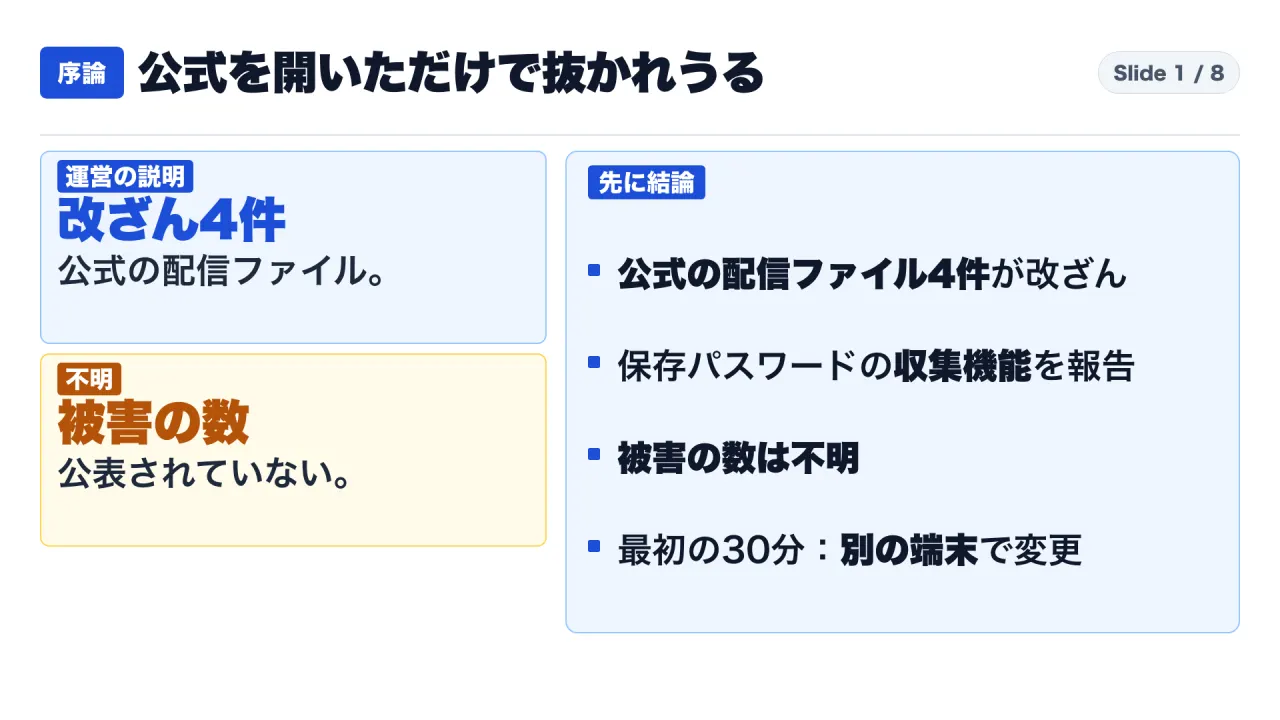
Between November 4 and 5, 2026, Japanese cybersecurity publications and international technical media reported that the official Windows PC launcher for “Goddess of Victory: NIKKE” had been weaponized. The attacker did not compromise the game’s core binary on disk, but instead altered four JavaScript files loaded dynamically by the launcher from official CDN servers during initialization.
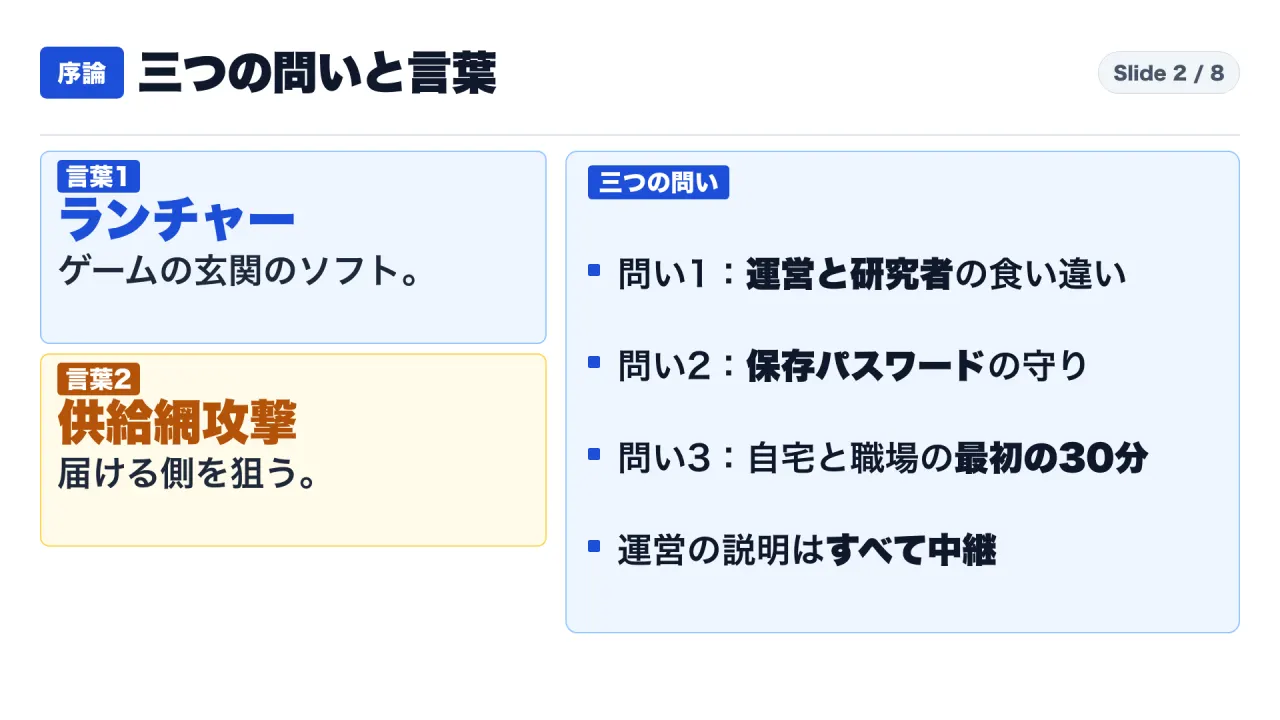
To establish an accurate forensic baseline, verified events must be separated by reporting entity:
| Date & Time (JST) | Documented Event | Reporting Source | Forensic Status |
|---|---|---|---|
| September 27, 2026 10:59 | A domain utilized by peripheral game services was hijacked by an unauthorized third party | Publisher Notice (Relayed) | Confirmed by publisher telemetry |
| September 27, 2026 15:41–15:42 | Four script files on official CDN servers were altered; publisher identifies this timestamp as the start of user exposure | Publisher Notice (Relayed) | Baseline threshold for user auditing |
| October 24, 2026 01:40 (Oct 23 16:40 GMT) | User telemetry documents malicious payload execution on an infected endpoint | MotherSphere Gist | Documented in independent user logs |
| October 30, 2026 03:52 | Publisher asserts malicious payload distribution officially commenced | Publisher Notice (Relayed) | 6-day, 2-hour discrepancy with user telemetry |
| November 4, 2026 00:00 approx. | Publisher detects launcher script anomaly and initiates investigation | Publisher Notice (Relayed) | Incident response initiated |
| November 4, 2026 02:04–02:23 | Publisher replaces three corrupted scripts, terminating additional payload downloads | Publisher Notice (Relayed) | Primary containment stage |
| November 4, 2026 12:09 | CDN cache invalidation completed for the fourth script, propagating clean assets | Publisher Notice (Relayed) | Secondary containment stage |
| November 5, 2026 08:00 | Publisher releases updated client featuring an automated detection and removal tool | Publisher Notice (Relayed) | Client-side remediation deployed |
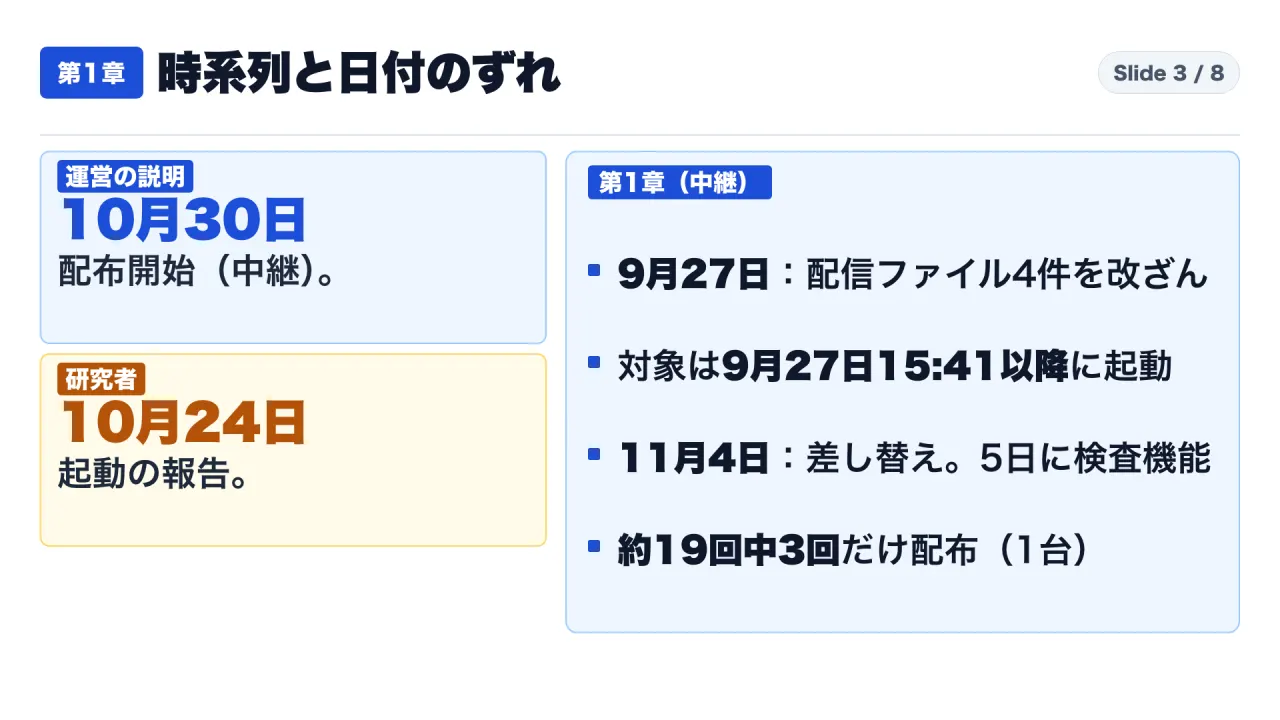
A critical point of tension in the forensic record is the timing discrepancy: the publisher’s announcement stated that malicious payload distribution began on October 30 at 03:52 JST. However, static analysis and telemetry collected by independent researcher MotherSphere documents user evidence of payload execution occurring on October 24 at 01:40 JST (with additional community reports citing activity on October 23). This represents a discrepancy of six days and approximately two hours.
Additionally, payload delivery appears to have been conditional rather than ubiquitous: on one analyzed testbed machine, the malicious payload was fetched only three times across approximately 19 launcher executions. Neither the publisher nor independent researchers have clarified the exact CDN staging logic or initial server compromise vector.
2. Why Windows DPAPI and Browser Protections Fail Against In-Session Executables
The central technical question is why opening a game launcher enables arbitrary software to harvest passwords stored securely within web browsers.
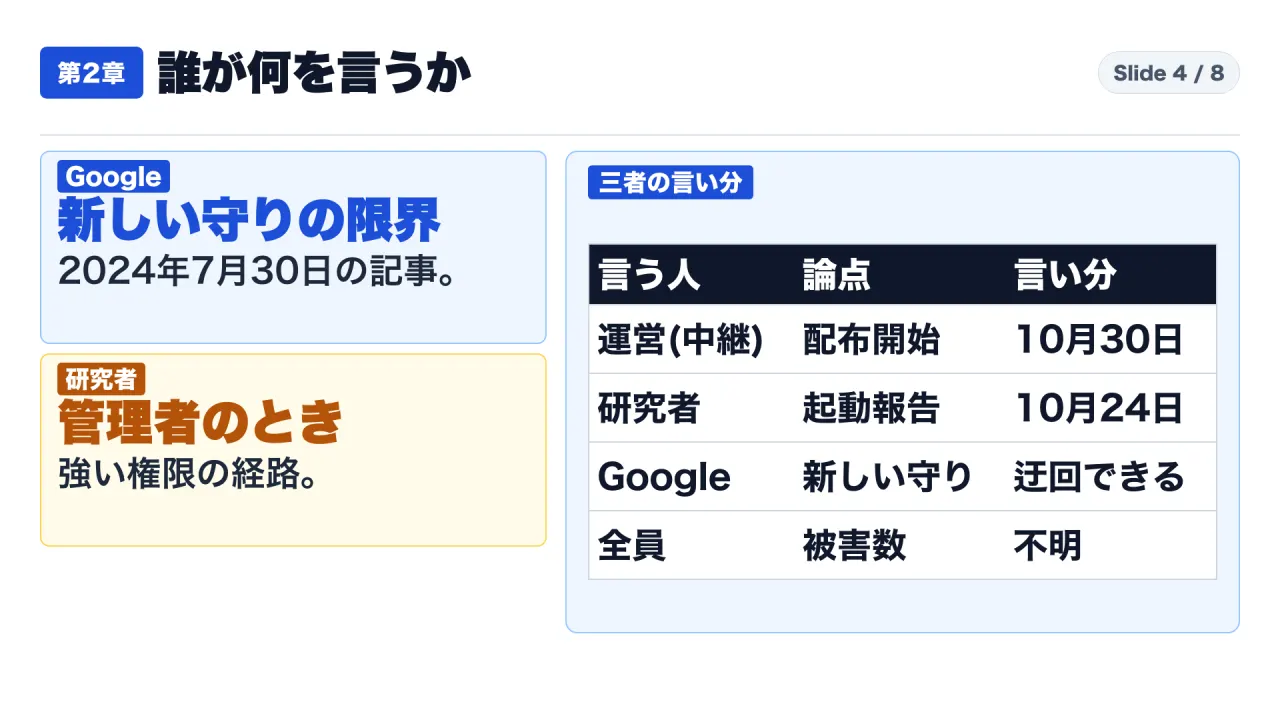
For over a decade, Chromium-based browsers on Windows protected stored credentials using the Windows Data Protection API (DPAPI). As Google explained in its architecture review on July 30, 2024 (“Improving Security of Chrome Cookies on Windows”), DPAPI ties cryptographic keys to the current Windows user login:
“DPAPI protects data from other users on the same machine, or from attackers who steal the computer’s hard drive. However, DPAPI does not protect against malicious applications running as the logged-in user.”
Because standard Windows desktop applications execute within the security context of the user who launched them, any process initiated by the user has programmatic access to DPAPI’s decryption routines (CryptUnprotectData). When an infostealer executes inside a user’s desktop session, it operates at the exact same privilege tier as the browser, allowing it to seamlessly decrypt the local state key and extract stored passwords.
To mitigate this architectural vulnerability, Google introduced App-Bound Encryption beginning in Chrome 127. App-Bound Encryption wraps credential keys using a privileged Windows service (running as SYSTEM), encrypting the data so that it can only be decrypted by a process verified as an authentic, signed Google Chrome binary. If an external malware process invokes the decryption service directly, the request is rejected.
However, Google explicitly documented the structural boundary of App-Bound Encryption:
“Because the service is running with system privileges, malware would need to gain system privileges, or inject code into Chrome, to bypass the protection. This raises the cost of attack and increases the likelihood of detection by antivirus software.”
In corporate and high-access desktop environments, users frequently execute game launchers with full local administrator privileges (either due to User Account Control prompts or legacy installer defaults). Once a process achieves administrative elevation, it can readily transition to SYSTEM privileges, inject malicious dynamic link libraries (DLLs) into running browser processes, or disable endpoint detection software, rendering App-Bound Encryption ineffective.
The NIKKE launcher incident did not exploit a zero-day flaw in Google Chrome. Instead, it operated precisely within the known operational boundary documented by Google: a compromised desktop executable running within an authenticated user session, with potential administrative elevation, bypassing client-side cryptographic containment.
3. Scope of Exploitation: Session Cookies, 264 Credential Paths, and Unknown Damage Metrics
Static reverse engineering of the weaponized payload revealed an extensive credential harvesting architecture.
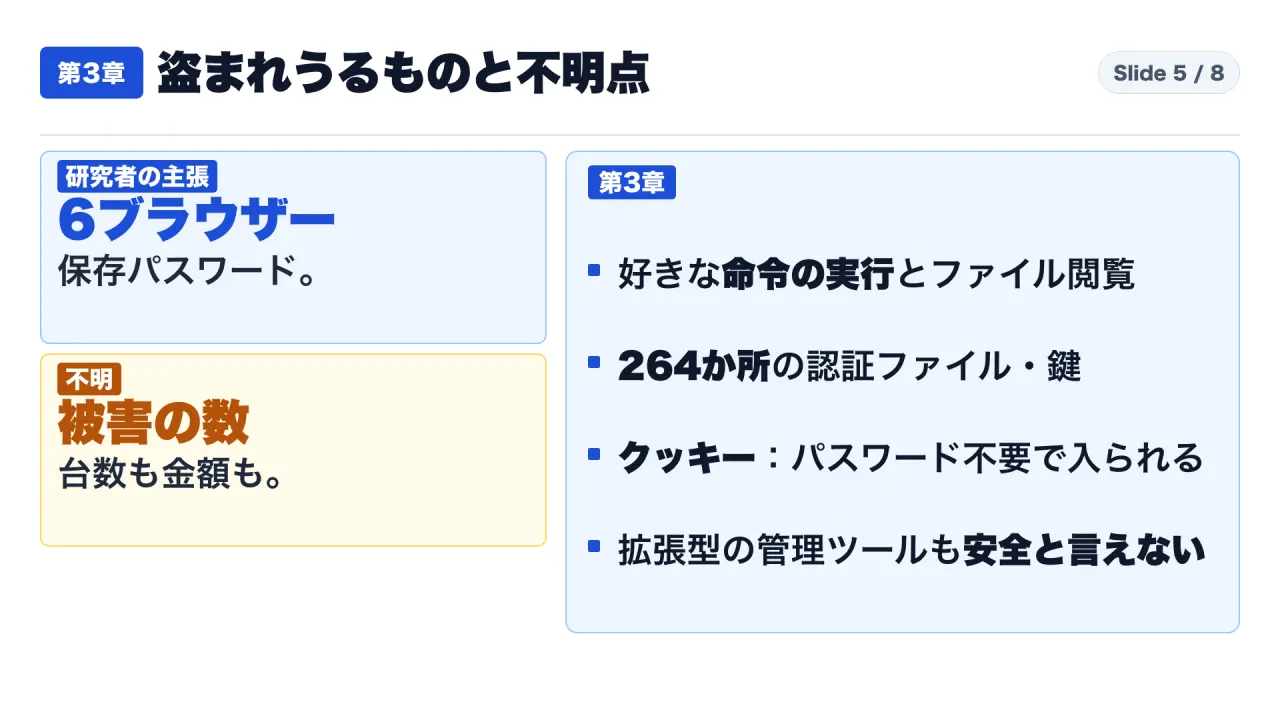
According to the MotherSphere analysis and corroborating string inspections published by BleepingComputer, the primary payload was capable of executing arbitrary shell commands, exfiltrating local files, and capturing active desktop displays. Within seconds of execution—user telemetry recorded full browser directory exfiltration occurring within eight seconds of launcher initialization—the script executed targeted extraction routines:
- Browser Credential Stores: Automated extraction targeting local databases across six major browsers: Google Chrome, Microsoft Edge, Brave, Vivaldi, Opera, and Mozilla Firefox.
- Session Cookies: Full exfiltration of browser cookie stores. Unlike passwords, stolen session cookies allow attackers to hijack authenticated sessions (including Google, Microsoft, AWS, and corporate SaaS portals) without triggering secondary MFA prompts or password validation.
- Developer & Infrastructure Secrets: Static scanning across 264 hardcoded file paths, targeting SSH private keys (
id_rsa,known_hosts), cloud provider credentials (AWS CLI.aws/credentials, Google Cloud SDK, Azure tokens), Git configurations, VPN profiles, and remote desktop credentials. - Cryptocurrency Wallet Extensions: Targeted exfiltration across 28 browser extensions installed in Chrome user profiles, specifically extracting local vault files and memory states for extensions including MetaMask, Phantom, Coinbase Wallet, TronLink, and Binance Wallet.
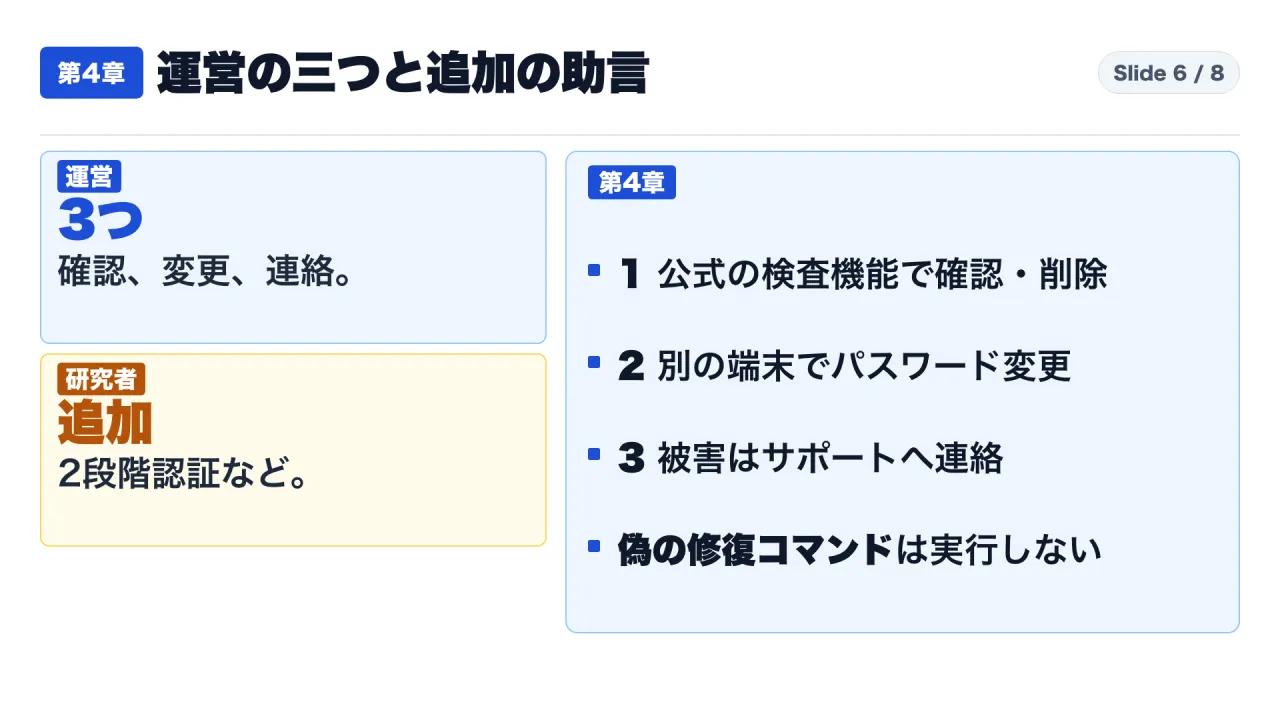
Despite the extensive harvesting logic embedded in the payload, the actual volume of compromised accounts, the number of infected endpoints, and total financial losses remain completely unknown. No regulatory disclosures, law enforcement advisories (such as JPCERT/CC or the National Police Agency), or publisher updates have quantified real-world damage.
Operational audits must note two critical technical details:
- Dedicated Password Managers: Reverse engineering indicated that standalone extension-based password managers (such as 1Password or Bitwarden) were not subject to automated database extraction in the analyzed sample. However, because the malware maintained arbitrary command execution and file-system read capabilities, unencrypted exports or active memory caches cannot be certified as safe.
- Remediation Tooling Caveats: Researchers observed that the automated cleanup utility deployed by the publisher removes malware artifacts, which may inadvertently erase forensic evidence required for corporate incident response or insurance claims. Furthermore, fraudulent “cleanup scripts” distributed across community forums were found to trick users into executing malicious PowerShell commands under administrative privileges.
4. The First 30 Minutes: Triage Protocols for Enterprise and Home Endpoints
When an endpoint is suspected of running a compromised application, immediate response sequencing is critical. The corrective actions differ sharply between corporate and personal environments.
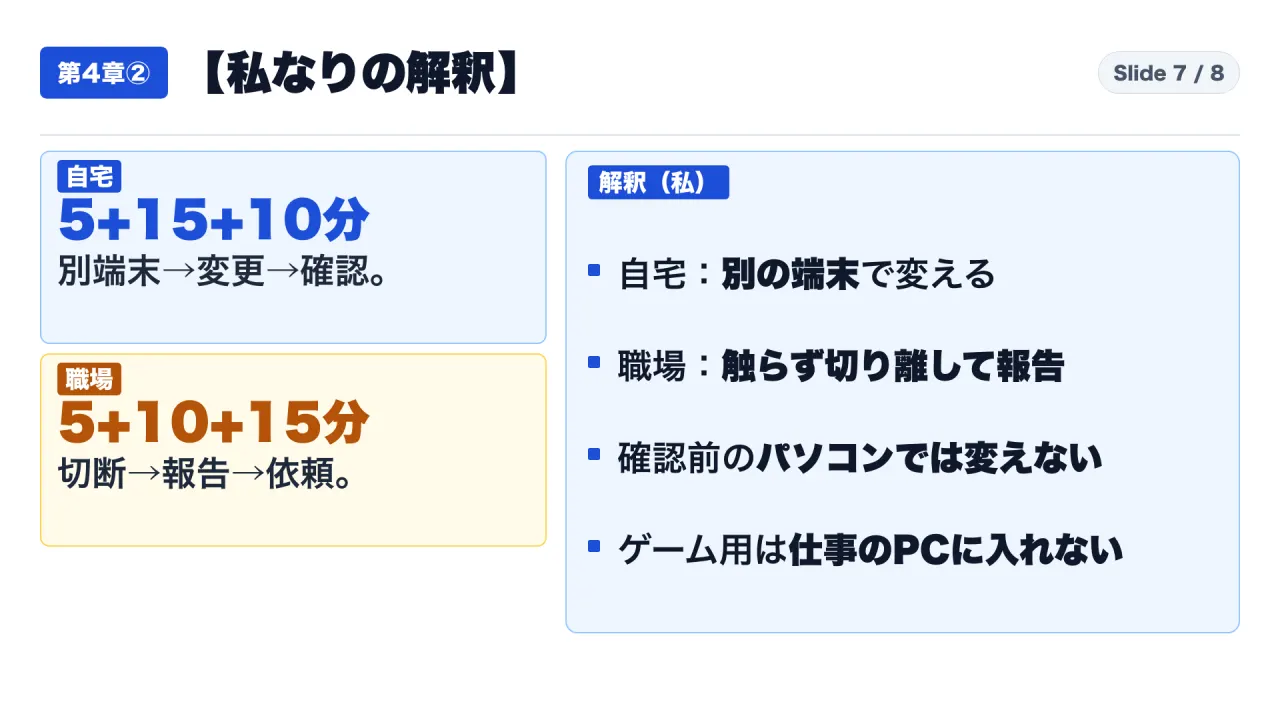
| Phase | Home Environment Action | Enterprise / Corporate Endpoint Action | Rationale |
|---|---|---|---|
| 0–5 Minutes | Prepare Secondary Clean Device: Use an uncompromised smartphone or tablet. Do NOT type new passwords on the affected PC. | Hardware Network Severance: Immediately pull physical ethernet cables and disconnect Wi-Fi. Do not power off or run cleaning tools. | Prevents in-memory keystroke logging of new credentials; halts ongoing exfiltration while preserving forensic volatile memory. |
| 5–20 Minutes | Priority Credential Rotation: From the clean device, rotate primary identity accounts (Google/Microsoft), banking/financial portals, and gaming accounts. | InfoSec Notification: Report the exact timestamp of launcher execution and state whether administrative execution was granted. | Neutralizes compromised passwords before credential stuffing bots deploy them across SaaS portals. |
| 20–30 Minutes | Global Session Revocation & MFA: Enforce “Sign out of all sessions” on all rotated accounts; verify that hardware or TOTP MFA is active. | Central Credential Invalidation: Enterprise administrators revoke user IdP sessions, rotate developer API keys, and re-key SSH infrastructure. | Terminating session cookies is mandatory; password resets alone do not invalidate active stolen session tokens. |
Enterprise Governance: The Institutional Response
The corporate exposure surface of gaming software was demonstrated during the incident when a major South Korean entertainment conglomerate reportedly issued an emergency security directive instructing all employees across its subsidiaries to immediately remove the NIKKE launcher from corporate hardware and surrender affected laptops to the enterprise security operations center (SOC).
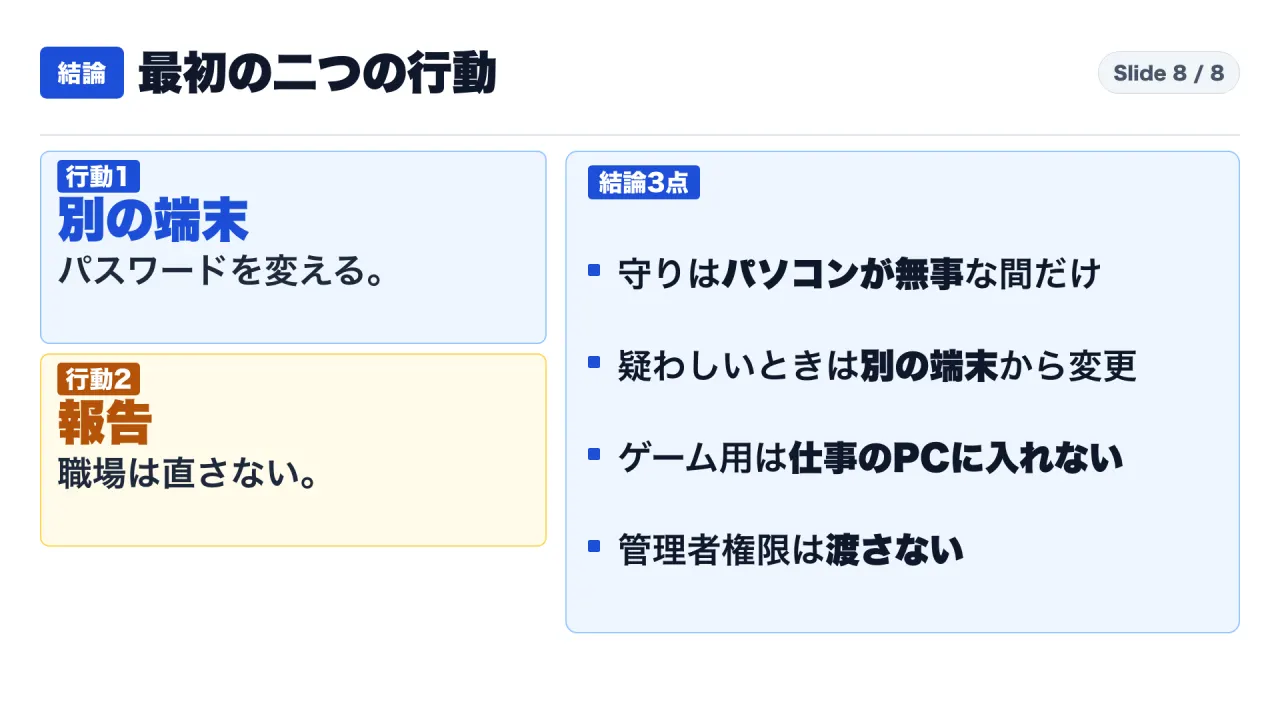
To eliminate this attack vector, corporate IT and security organizations must enforce three controls:
- Application Whitelisting: Prohibit execution of non-work-related gaming clients, entertainment software, and unauthorized third-party launchers on all company-managed hardware.
- Elimination of Local Administrator Rights: Restrict employee workstation accounts to standard user privileges. By ensuring users cannot execute installers as local administrator, organizations preserve the integrity of Chrome’s App-Bound Encryption and prevent unauthorized drivers from intercepting operating system cryptographic services.
- Comprehensive Endpoint Inventory: Maintain continuous software inventory monitoring across all distributed corporate machines to instantly flag unauthorized executables connecting to external gaming CDNs.
Sources
- Japanese Cybersecurity Analysis, piyolog (Detailed timeline and publisher notice relays): https://piyolog.hatenadiary.jp/entry/2026/11/05/133509
- Domestic Gaming Security Coverage, EAA FPS News (Technical overview and guidance summary): https://fpsjp.net/archives/581041
- Technical Reporting, BleepingComputer (Independent static analysis of JavaScript and DLL artifacts): https://www.bleepingcomputer.com/news/security/nikke-pc-game-launcher-hacked-to-spread-remote-access-data-stealing-malware/
- Reverse-Engineering Documentation, MotherSphere (GitHub Gist, updated November 7, 2026): https://gist.github.com/MotherSphere/d6c049a09ba8ac3085c51ee9df24a4e5
- Google Online Security Blog, “Improving Security of Chrome Cookies on Windows” (July 30, 2024): https://security.googleblog.com/2024/07/improving-security-of-chrome-cookies-on.html